Developer Tips Vol III - JetBrains external tools - Launch emulator directly from WebStorm
If you’re using Expo or React Native inside JetBrains IDEs, You are probably like me - using WebStorm as the code editor, but managing the emulator from Android Studio and not doing much else in that IDE.
Today’s dev tip involves setting up an External Tool to launch the emulator from within WebStorm so you don’t have to do it from Android Studio. I found ths this is a nice quality‑of‑life bump, and you can link External Tools to pretty much anything and set up your IDE just the way you like.
Step 1 - Add an External Tool
In WebStorm:
File → Settings Search for External Tools Select External Tools Click the + icon to add a new tool
Fill in the fields like this:
Name:
Android EmulatorProgram:
C:\Users\<your user name>\AppData\Local\Android\Sdk\emulator\emulator.exeReplace
<your user name>with your actual Windows username, or point it to wherever youremulator.exelives.
Arguments:
-avd Pixel_9This tells WebStorm which AVD to launch.
If you’re not sure what AVD names you have, run this in a terminal:
emulator -list-vhdsPick one from the list and drop it into the -avd argument.
Working directory:
C:\Users\<your user name>\AppData\Local\Android\Sdk\emulatorSame path as above, just without the emulator.exe at the end.
Click OK.
Tool === Done!
Step 2 - Run it from WebStorm
Now head to:
Tools → External Tools
You’ll see your lovely new entry - “Android Emulator” or whatever you named it.
Click it. Your emulator boots. No Android Studio required.
Step 3 - Optional: Add a Toolbar Button
If you want true one‑click access:
- Right‑click the top toolbar
- Select Customize Toolbar
- Under Main Toolbar, choose Left, Center, or Right (where you want the button)
- Click Add
- Expand External Tools
- Pick the tool you created
- Choose an icon
- Click OK
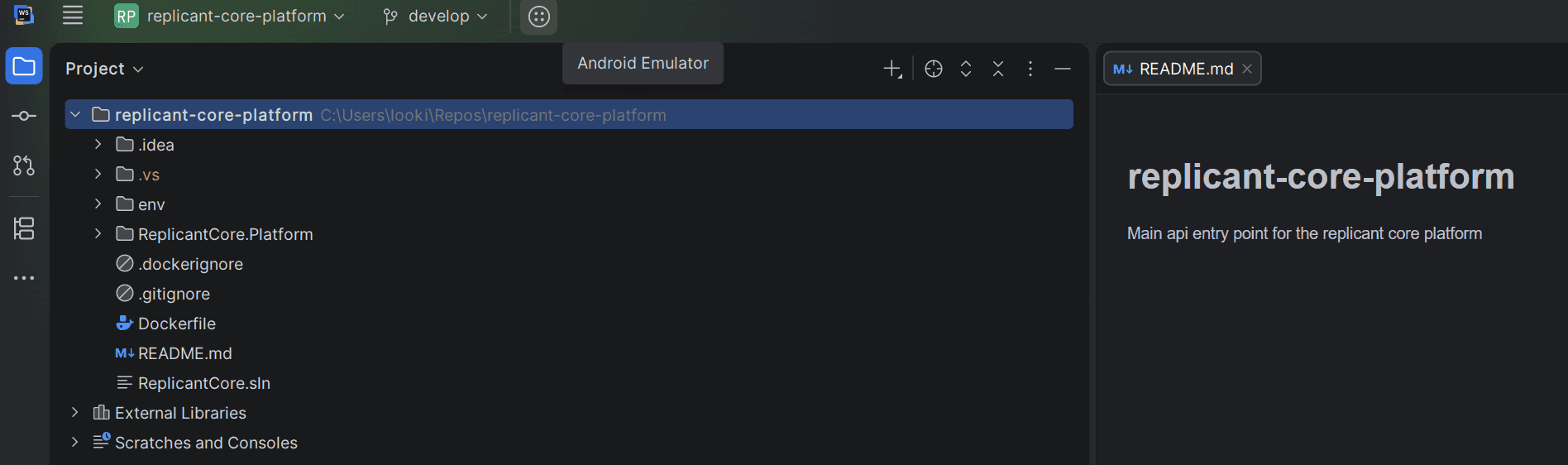
Now you’ve got a dedicated emulator button sitting in your IDE, ready whenever you are.
That’s it
A tiny tweak, but it removes a surprising amount of friction from the Expo/React Native loop. Your emulator becomes a natural extension of WebStorm instead of a separate chore.